Every conversation at the show, followed up.
Snap business cards, scan badges and record voice memos on the show floor, even with no signal. TradeShowPal turns them into clean contacts your whole team can follow up, from the phone or the computer.
- Based in Florida, USA
- Works with no signal, even in the busiest hall
- Your contacts stay yours: export or delete them any time
Your route from the booth to the follow-up.
-
At the booth
Capture them in seconds
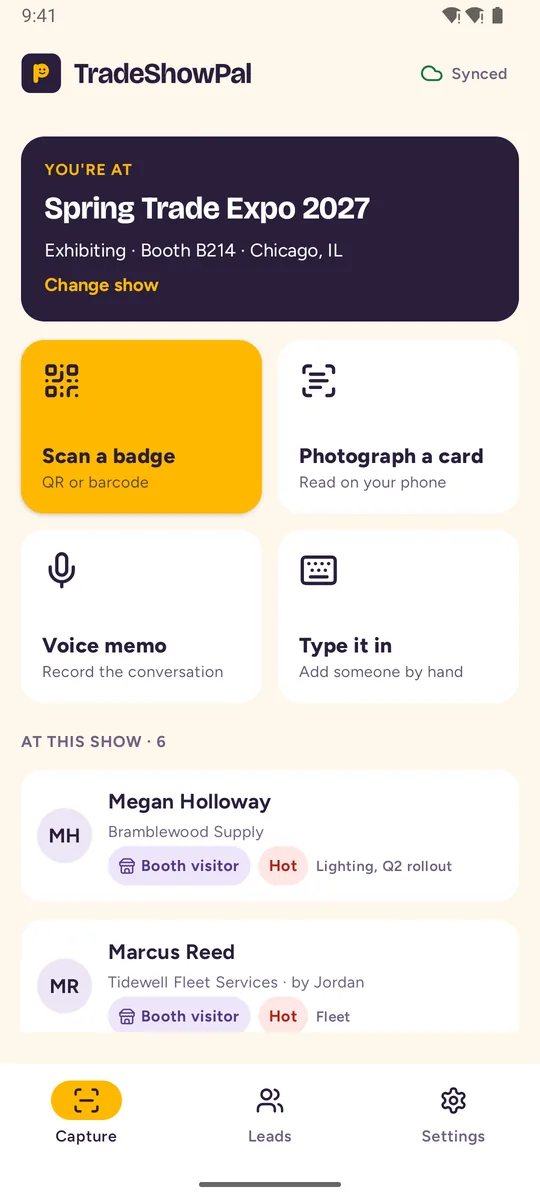
Photograph a business card, scan the QR code on a badge, type a few words or record the conversation.
- Works with no signal at all
- Voice memos are saved every few seconds, so nothing is lost
-
Between conversations
Let the busywork do itself
The card is read for you the moment you take the photo, then checked with AI, and your notes and voice memos stay with each lead. On the paid plans, AI turns them into meeting notes: what they need, budget, timeline and next steps.
- Duplicates are spotted and merged
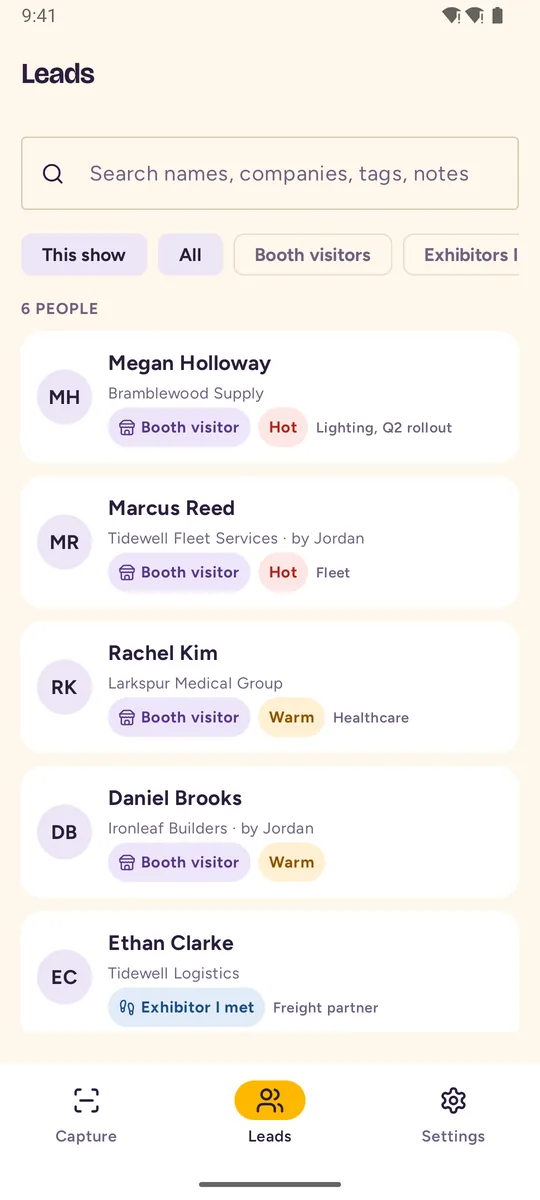
- Hot, warm or cold, and tags of your own
-
Back at your desk
Follow up while they still remember you
Work through everyone you met from your computer, hottest first, and mark each one done as you follow up. Draft follow-up emails in your words are on the way.
- Export to a spreadsheet
- Your team sees the same leads
Everything from the show floor, in one place.
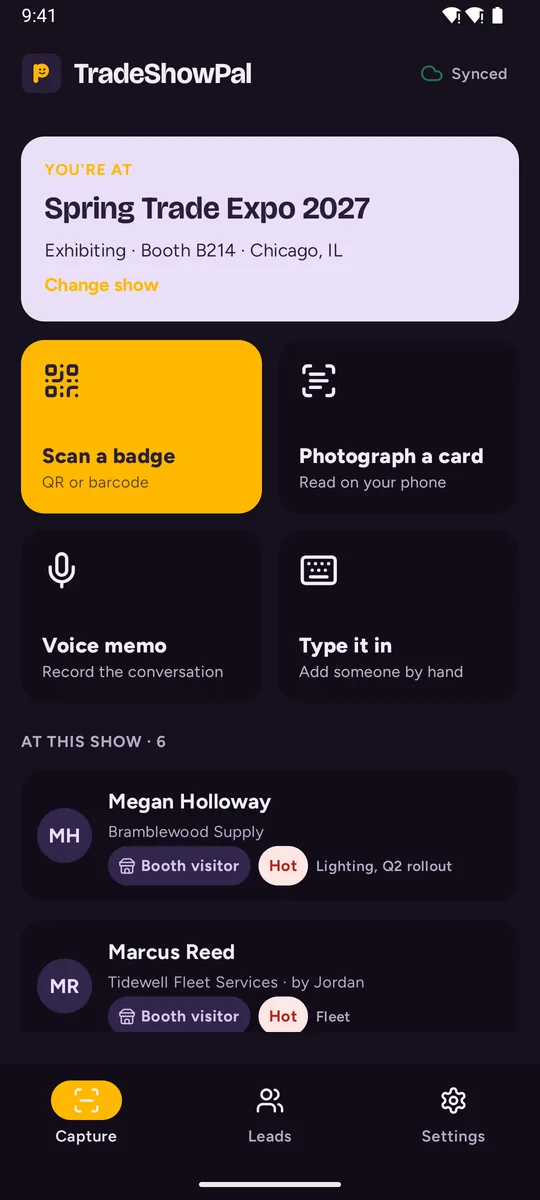
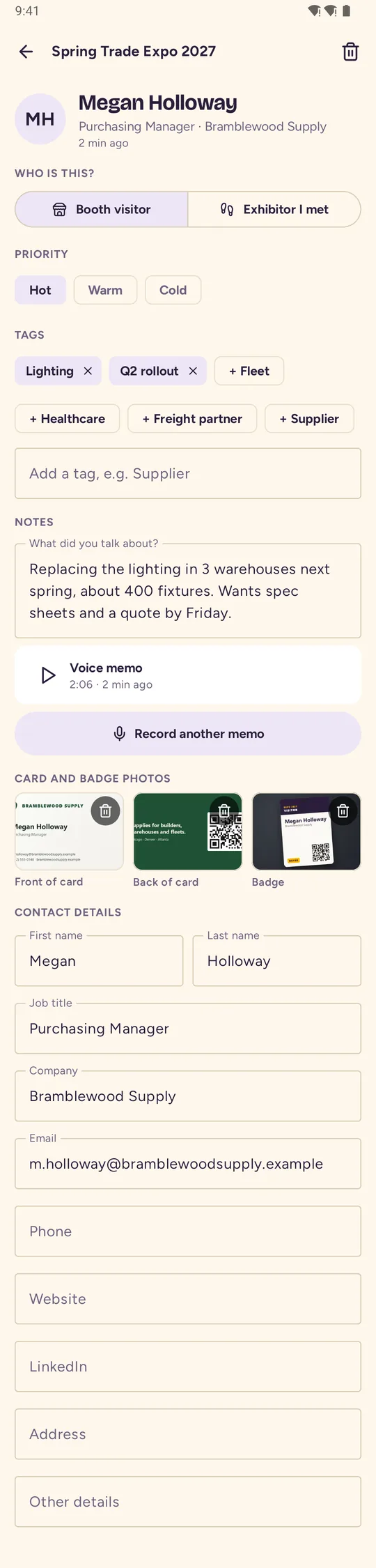
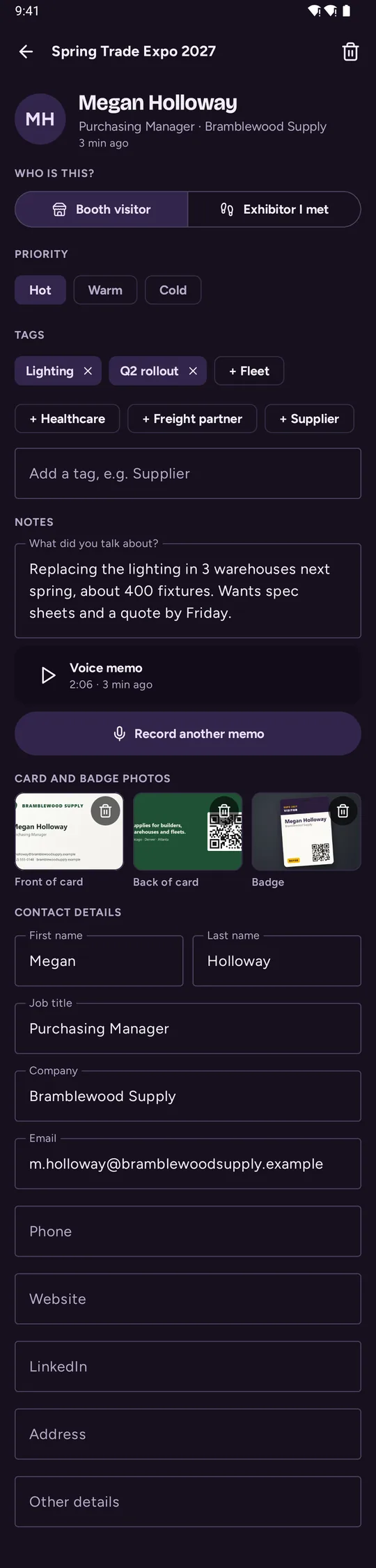
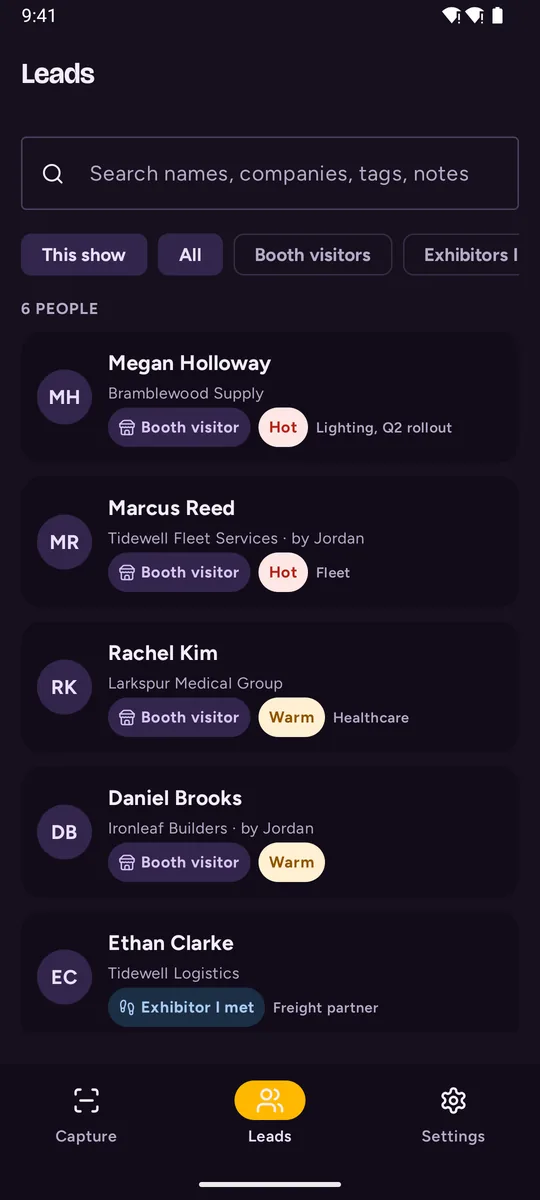
Real screens from the TradeShowPal app for Android.
Made for the way trade shows actually go.
Bad signal, a queue at the booth, three conversations at once, and a week of follow-ups afterwards.
Capture in seconds
Hold up a business card or a badge: the photo takes itself the moment the card is sharp, with a flashlight for dim halls. Names, job titles, companies, emails and every phone number fill themselves in, then AI double-checks them.
Works offline
Exhibition halls are known for bad signal. Everything is saved on your phone first and syncs as soon as you're back online.
Voice memos
Record a quick memo or the whole conversation, with permission. It's kept with the lead, and your team can play it back from the web workspace.
Your digital business card
Share your details by tapping phones, with a QR code or a link, and people save you in one tap, no app needed. Keep one card per job, and see when yours was opened and saved.
Booth photos
Photograph the booths you visit, as many shots as you like, and keep them with the lead. Handy for buyers, press and anyone checking out the competition.
Follow-ups written for you
A draft email for every lead, based on what you actually discussed. Change a line and send it.
No duplicates
When the same person is added twice, by you or a teammate, TradeShowPal notices and merges them, keeping both sets of notes.
Visitors and exhibitors
Keep the people who came to your booth apart from the exhibitors you visited, and tag everyone else your way.
Exhibitor lists and booths
Load a show's exhibitor list from its website, or paste it. Mark who to visit, and the people you meet check off their booth for you.
A workspace for your desk
After the show, work through an inbox of everyone waiting on a follow-up, from your computer.
Straight to your contacts
One tap adds any lead to your phone's contacts, already filled in, with the show where you met.
Light or dark
Easy on the eyes on a bright show floor or a late flight home: light, dark, or whatever your phone uses.
The app on the floor. The workspace at your desk.
On the show floor
- Capture cards, badges, voice memos and quick notes
- Mark someone hot, warm or cold before the next person arrives
- Book the follow-up call while you're still talking
At your desk
- One inbox of everything to act on, across all your shows
- Every lead in one table: filter by show, tag or teammate
- Invite your team and switch between teams
Whichever side of the booth you're on.
Leave the show with leads, not a pile of cards.
Capture every visitor at your booth, share them with your team, and follow up the same week.
For exhibitors You visitWalk the show with a plan.
Know which exhibitors to see, remember what each one offered, and compare them once you're home.
For visitorsYour contacts stay yours.
The people you meet are your business. Here is how we look after them.
Encrypted connections
Everything between the app and our server travels encrypted, over HTTPS.
Backed up every night
And saved on your phone first, so a dead battery or a lost connection never costs you a lead.
Who's behind it. We built TradeShowPal for our own booth, because the cards, badges and voice notes kept ending up in five different places. We're based in Florida, USA. Questions go to support@tradeshowpal.com, and we read every email.
- Yours to export. Every lead as a spreadsheet, any time.
- Yours to delete. Gone from our server at once, and from our backups within 60 days.
- Never sold. No ads and no data sales, ever.
- Only the people you add. We never read your phone's address book.
Asked at the booth.
Is TradeShowPal free?
You can start for free, with no card needed: capturing, backing up and exporting your contacts are all on the free plan. Paid plans add more AI, the web workspace and tools for teams. More about pricing
Does it really work without internet?
Yes. Capturing cards, badges, notes and voice memos works with no connection at all. Cards are read on the phone itself, everything is saved there first, and it syncs (and checks each card with AI) as soon as you're back online.
Which phones does it run on?
Android today, plus a web workspace for your computer. The iPhone app is on its way.
Can I share my own details?
Yes. Set up your digital business card in the app, one per job if you like, by scanning your printed card. Share it by tapping phones, with a QR code or a link, and the other person saves you to their contacts in one tap, without the app.
I visit shows, I don't exhibit. Is it for me?
Yes. Visitors use it to plan which exhibitors to see, capture the people they meet at each booth, and compare suppliers afterwards. See how visitors use it
Can my whole team use it at the same show?
Yes. Invite your colleagues to your team, and everyone's captures land in the same place, without duplicates. More about teams
Can I get my contacts into my CRM?
You can export everything from the web workspace as a spreadsheet (CSV) that any CRM can import. Direct connections to popular CRMs are planned.
Who can see my contacts?
Only you, and the teammates you invite to your team. We don't sell or share your data, and there are no ads. Security and privacy
Get started free
Start for free. Leave your email and we'll send you the app and your account invite.